Set Up a Concur Request Delegate
Overview
If an individual in your department has the job duty of assisting you with creating your Concur Travel Requests, this guide will walk you through how to set them up as your Request Delegate.
If needed, an employee can set up more than one Request Delegate.
Note, a Request Delegate can create a Travel Request on behalf of an employee they are a Delegate for, but they cannot submit the Travel Request, only Notify the employee it is ready for their submission. Travel Requests MUST be submitted by the employee traveler.
Additionally, a Request Delegate cannot book travel for another employee. The employee traveler must also set them up as a Travel Arranger within the traveler's Concur Profile to grant them that access.
KU employees can access Concur through their KU Single Sign On (SSO) at concur.ku.edu.
Step One:
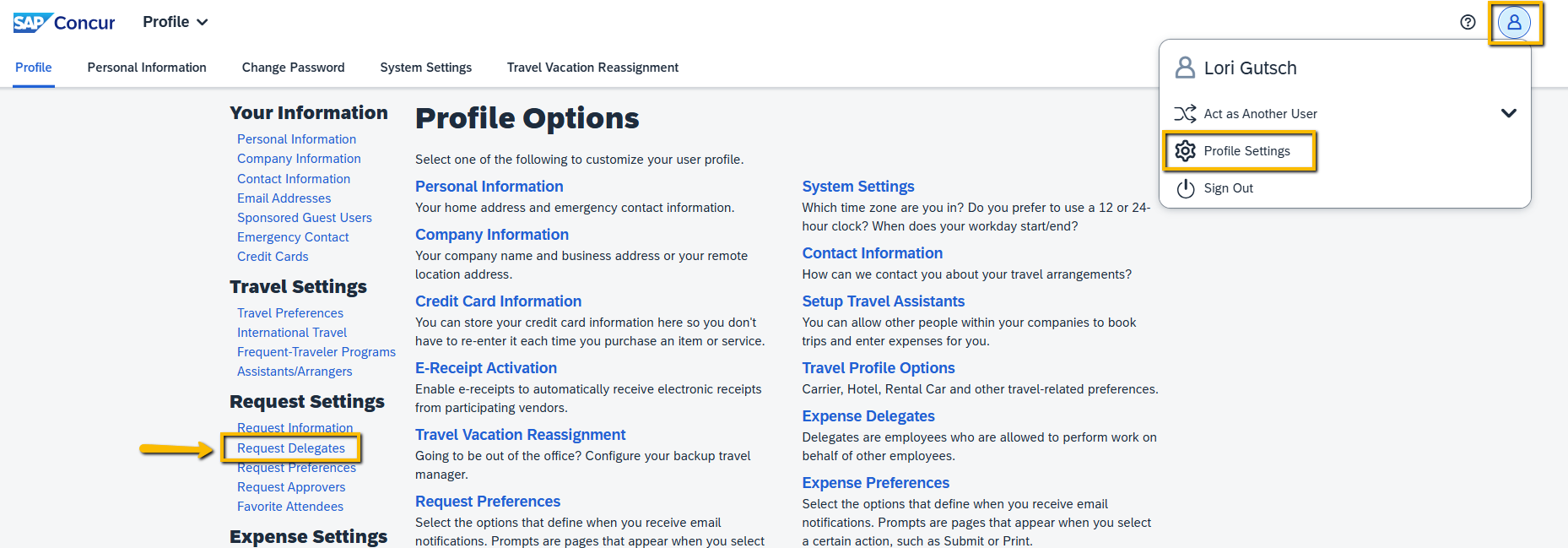
Go to Profile Settings and select Request Delegates.
Step Two:
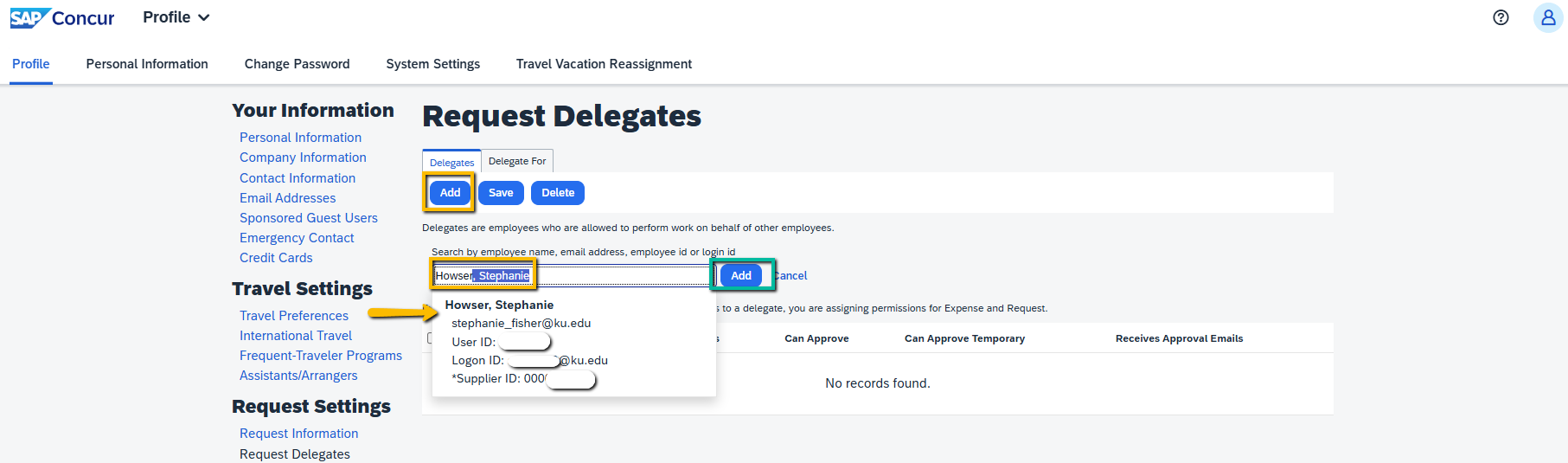
Select Add, enter the employees' name that you want to make your Request Delegate and select them from the list, then hit Add.
Step Three:
Check the Can Prepare and Receives Emails boxes, and Save.

Step Four:
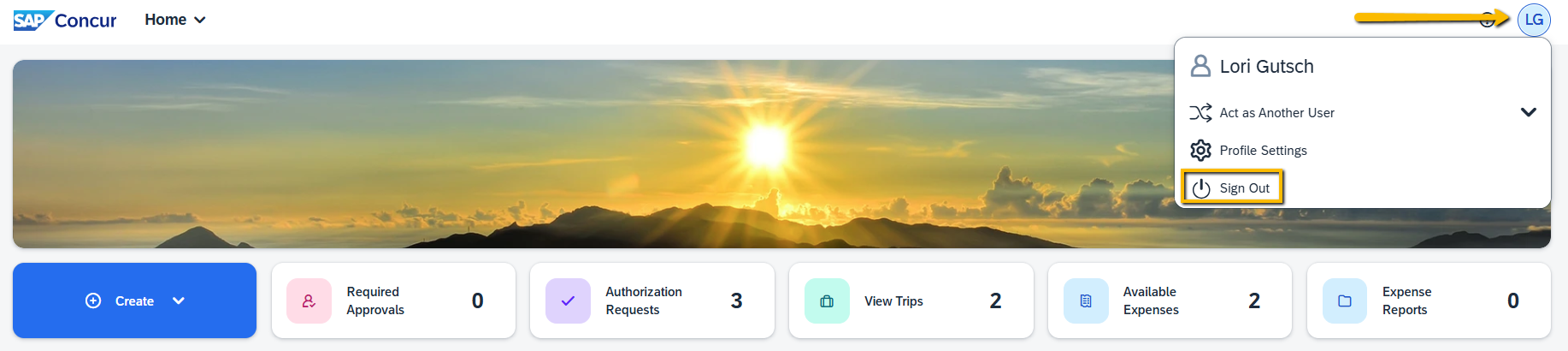
If you are ready to exit Concur, the Sign Out is found in the upper right-hand corner where Profile Settings is found.
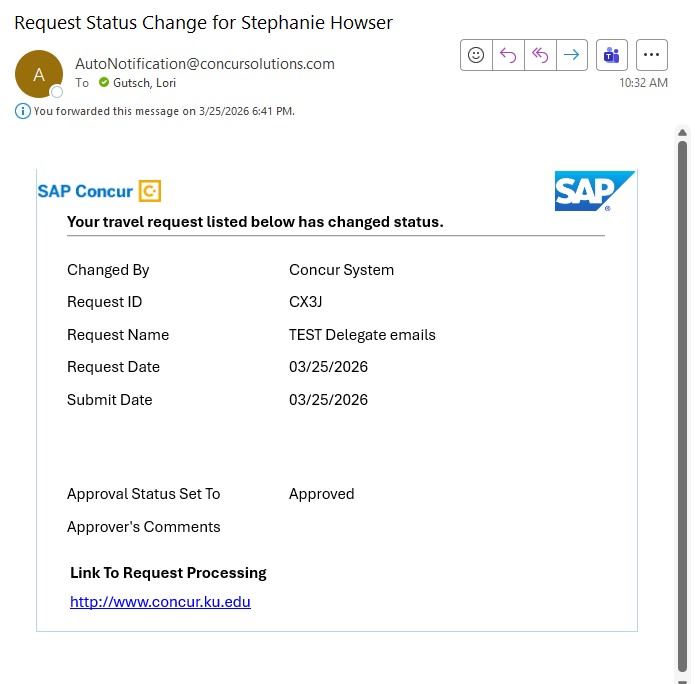
With a Request Delegate set up as indicated above, upon Concur Travel Request Approval both the Traveler and the Request Delegate will get the below email from Concur which has the traveler's name in the subject line.
- For KUL employees - This email indicates the final travel "pre-approval" is complete, and provides the 4-digit Request ID that is required for booking travel in Concur or with our CTP travel agents.
- For KUMC employees - Final travel "pre-approval" will be in Workday and a 10-digit Spend Authorization ID is need to book in Concur or with our CTP travel agents. Therefore, the below email indicates that the International Export Control and Risk review/approval is complete and the following day a "draft" Spend Authorization will be ready for you to complete and submit for final funding approval in Workday.